Sailboat retrospective
Picture the team as a boat. The wind pushes it forward, the anchor holds it back, the rocks are the risks ahead and the island is where it is heading. One board covers the sprint you had and the one to come.
4 columns · 45 to 60 minutes · Free, no sign-up
When to run a Sailboat retro
- At the start of a new phase, when the goal matters as much as the last sprint.
- When the same blockers keep coming back and you want to see them beside the goal.
- With people from outside the team: the picture is easy for anyone to read.
The four columns
Each column asks the team one question. Read the questions out before anyone writes, so everyone answers the same ones.
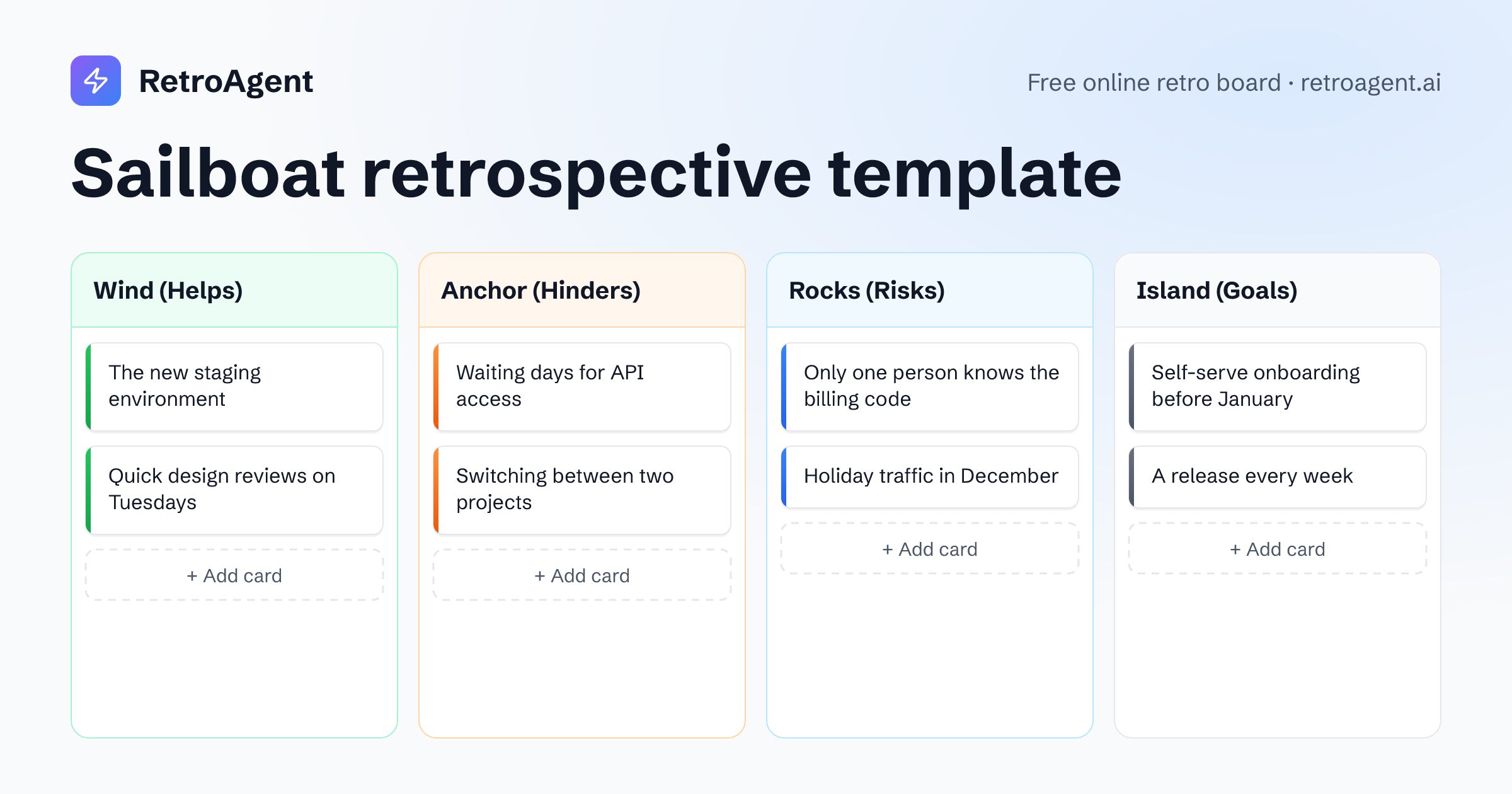
Wind (Helps)
What pushes us toward the goal?
For example
The new staging environment
AnonymousAnchor (Hinders)
What slows us down or holds us back?
For example
Waiting days for API access
AnonymousRocks (Risks)
What could sink us if we ignore it?
For example
Only one person knows the billing code
AnonymousIsland (Goals)
Where do we want to be?
For example
Self-serve onboarding before January
Anonymous
How to run a Sailboat retrospective
About 45 to 60 minutes for a team of five to eight, in one shared room.
Open the room
Press Start a retro with Sailboat: the room opens with the four columns ready, and teammates join from its link with just a name.
Warm up
Every retro opens with a warm-up question. Answers stay hidden until someone reveals them, then everyone reads them at once.
Write in private
Give everyone ten minutes on the shared timer, and ask for at least one card on the island, so the goal is on the board. Nobody sees anyone else's cards until the reveal.
Reveal and group
Anyone can reveal the board, after a three-second countdown. Drag cards that say the same thing onto each other to group them.
Talk it through
Start with the island so everyone agrees on the goal, then look at the anchors and the rocks, and end with the wind that will get you there.
Agree on action points
Add each decision as an action point from the board's sidebar. The summary lists them, and a retro run under a team keeps them on the team's page.
Formats like Sailboat
Questions about Sailboat retros
What do the parts of a Sailboat retrospective mean?
The wind is what helps the team, the anchor is what holds it back, the rocks are the risks ahead and the island is the goal. Each column in RetroAgent carries both words, such as Wind (Helps), so nobody has to remember the picture.
Sailboat or Speed Car?
Both picture the team as a vehicle. Sailboat adds the goal and the risks ahead, so it suits planning. Speed Car stays with how the team works today: what drives it, what brakes it and what keeps it going.
How long does a Sailboat retro take?
Plan 45 to 60 minutes. Four columns and a goal give the team a lot to talk about.
Can we change the columns?
Yes. Rename a column or add one, up to five, in the launcher before you start or in the room's settings during the retro. A card stays with the column name it was written under, so rename a column before the team writes in it.
Do participants need an account?
No. Teammates open the room link and type their name. They can sign in with Google or GitHub at any time and keep everything they wrote.
Ready for a Sailboat retro?
Your team joins with a link, and nobody needs to sign up.