Starfish retrospective
Five columns, like the five arms of a starfish: keep doing, less of, more of, stop doing and start doing. It goes beyond on and off, so the team can tune what it already does.
5 columns · 45 to 60 minutes · Free, no sign-up
When to run a Starfish retro
- A team that works well and wants to fine-tune rather than overhaul.
- When Start Stop Continue has started to feel too blunt.
- When you want to weigh practices side by side and adjust a few of them.
The five columns
Each column asks the team one question. Read the questions out before anyone writes, so everyone answers the same ones.
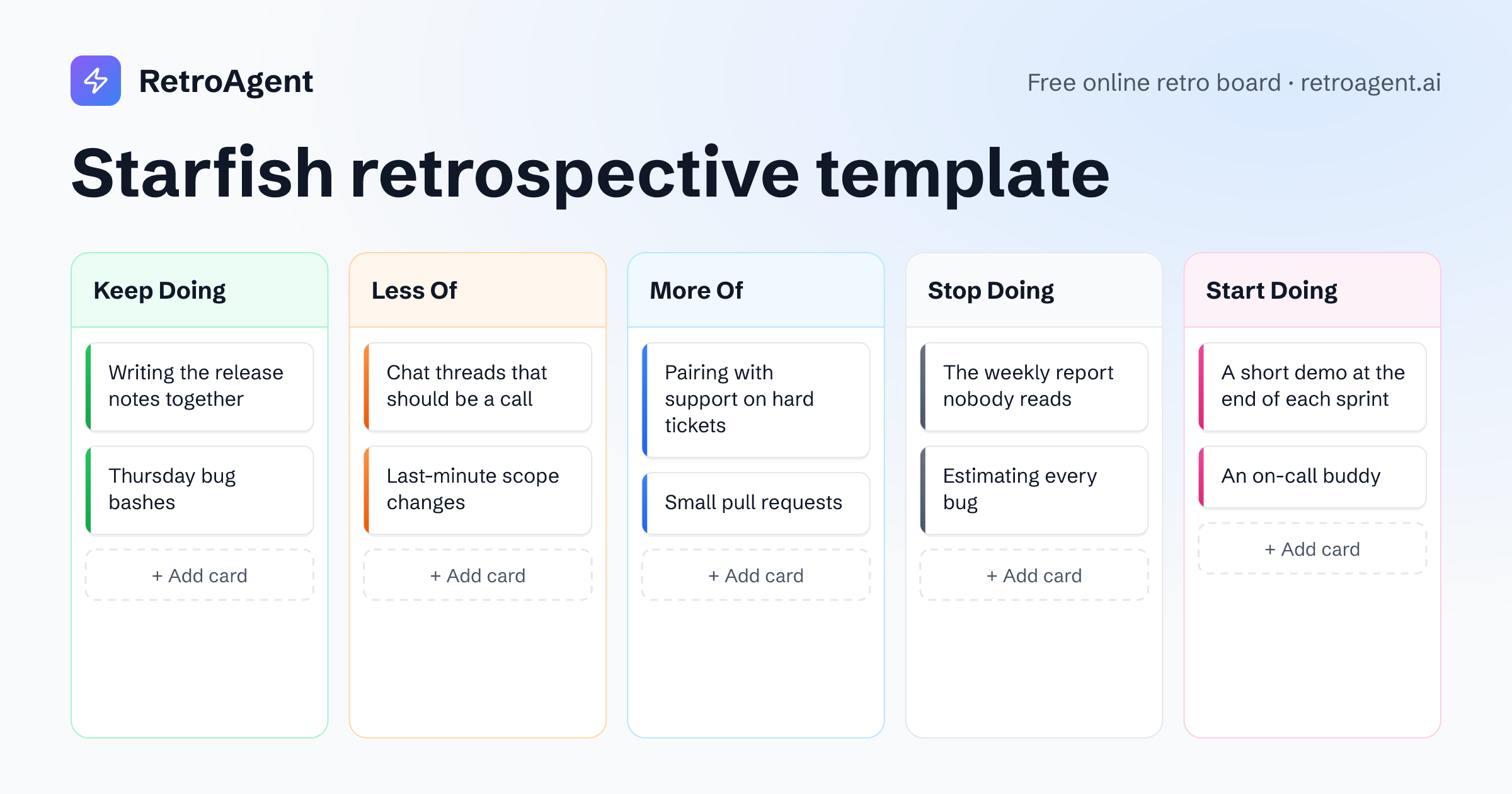
Keep Doing
What works well just as it is?
For example
Writing the release notes together
AnonymousLess Of
What helps, but takes too much of our time?
For example
Chat threads that should be a call
AnonymousMore Of
What helps and deserves more of our time?
For example
Pairing with support on hard tickets
AnonymousStop Doing
What brings us nothing at all?
For example
The weekly report nobody reads
AnonymousStart Doing
What new thing should we try?
For example
A short demo at the end of each sprint
Anonymous
How to run a Starfish retrospective
About 45 to 60 minutes for a team of five to eight, in one shared room.
Open the room
Press Start a retro with Starfish: the room opens with the five columns ready, and teammates join from its link with just a name.
Warm up
Every retro opens with a warm-up question. Answers stay hidden until someone reveals them, then everyone reads them at once.
Write in private
Give everyone ten minutes on the shared timer. Five columns gather a lot of cards, and that is the point. Nobody sees anyone else's cards until the reveal.
Reveal and group
Anyone can reveal the board, after a three-second countdown. Drag cards that say the same thing onto each other to group them.
Talk it through
Group similar cards before you talk, then go column by column. Less Of and More Of are where the subtle changes hide, so give them their time.
Agree on action points
Add each decision as an action point from the board's sidebar. The summary lists them, and a retro run under a team keeps them on the team's page.
Formats like Starfish
KPT (Keep Problem Try)
A Japanese staple of continuous improvement, short enough for a weekly retro.
Keep · Problem · Try
Questions about Starfish retros
What are the five parts of a Starfish retrospective?
Keep Doing, Less Of, More Of, Stop Doing and Start Doing. Keep, Stop and Start work as in Start Stop Continue; Less Of and More Of let the team adjust a practice instead of keeping or dropping it.
When is Starfish better than Start Stop Continue?
When the way the team works is mostly right and needs adjusting. Less Of and More Of catch the answers in between that a plain start or stop would force.
How long does a Starfish retro take?
About 45 to 60 minutes. Five columns gather more cards than three, so group them before the discussion.
Can we change the columns?
Yes. Rename a column or add one, up to five, in the launcher before you start or in the room's settings during the retro. A card stays with the column name it was written under, so rename a column before the team writes in it.
Do participants need an account?
No. Teammates open the room link and type their name. They can sign in with Google or GitHub at any time and keep everything they wrote.
Ready for a Starfish retro?
Your team joins with a link, and nobody needs to sign up.