Start Stop Continue retrospective
Three plain questions: what should the team start doing, stop doing and keep doing? Every card is a change or a practice worth keeping, and it is the format a new room in RetroAgent starts on.
3 columns · 30 to 45 minutes · Free, no sign-up
When to run a Start Stop Continue retro
- Your team's first retro, or the first with someone new: everyone understands the columns at once.
- A regular sprint, when you want a short list of concrete changes.
- Retros that drift into venting, since every card has to point at something to do.
The three columns
Each column asks the team one question. Read the questions out before anyone writes, so everyone answers the same ones.
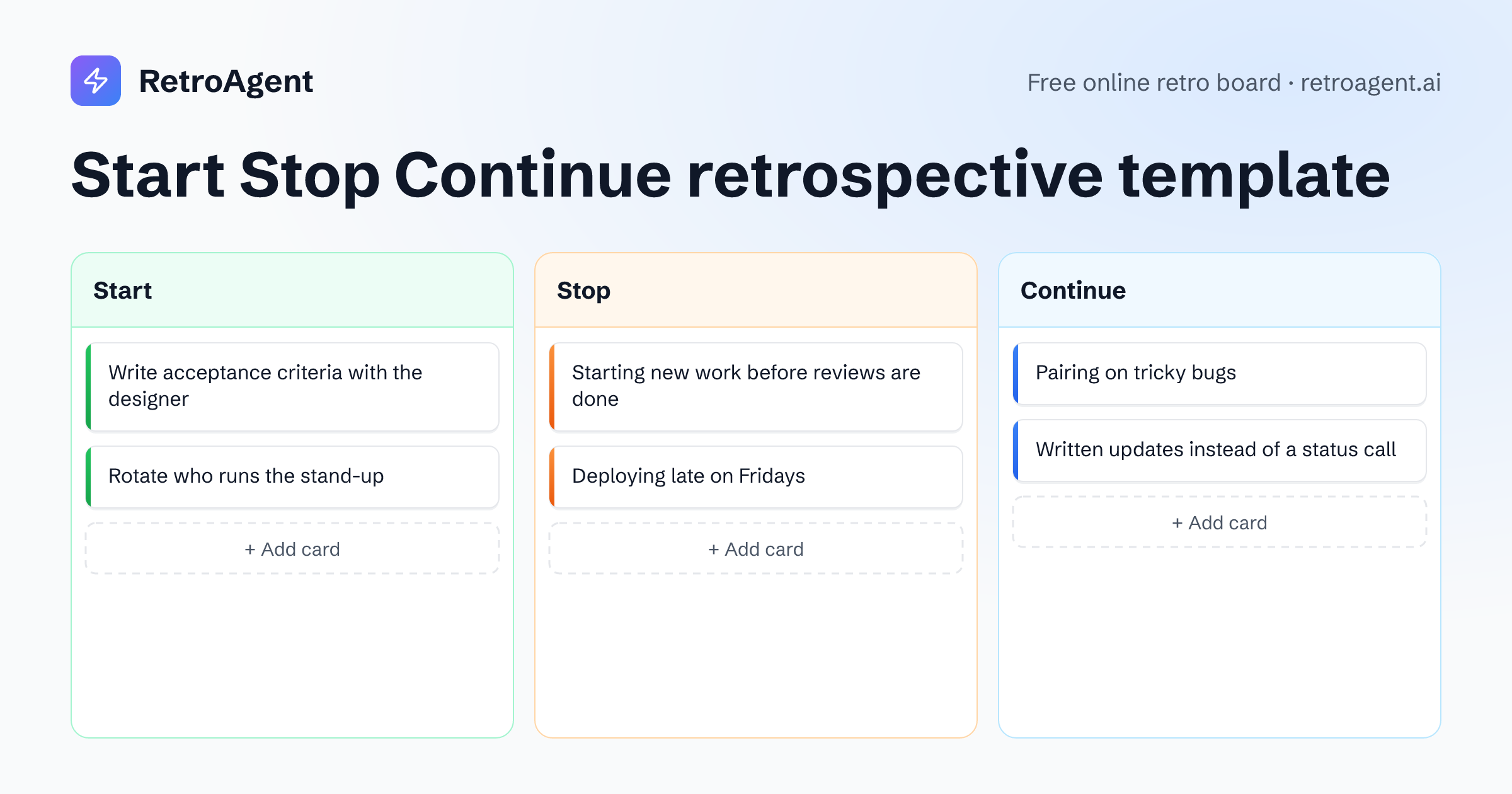
Start
What should we begin doing that would help us?
For example
Write acceptance criteria with the designer
AnonymousStop
What slows us down or wastes our effort?
For example
Starting new work before reviews are done
AnonymousContinue
What works well that we should keep?
For example
Pairing on tricky bugs
Anonymous
How to run a Start Stop Continue retrospective
About 30 to 45 minutes for a team of five to eight, in one shared room.
Open the room
Press Start a retro with Start Stop Continue: the room opens with the three columns ready, and teammates join from its link with just a name.
Warm up
Every retro opens with a warm-up question. Answers stay hidden until someone reveals them, then everyone reads them at once.
Write in private
Give everyone eight minutes on the shared timer to add cards to the three columns. Nobody sees anyone else's cards until the reveal.
Reveal and group
Anyone can reveal the board, after a three-second countdown. Drag cards that say the same thing onto each other to group them.
Talk it through
Go through Stop first, then Start, and end on Continue, so the retro closes on what is working. Most stops and starts become action points on their own.
Agree on action points
Add each decision as an action point from the board's sidebar. The summary lists them, and a retro run under a team keeps them on the team's page.
Formats like Start Stop Continue
Starfish
Sort your practices into five buckets, from keep doing to stop doing.
Keep Doing · Less Of · More Of · Stop Doing · Start Doing
KPT (Keep Problem Try)
A Japanese staple of continuous improvement, short enough for a weekly retro.
Keep · Problem · Try
Questions about Start Stop Continue retros
What is a Start Stop Continue retrospective?
A retro with three columns: what the team should start doing, stop doing and continue doing. Each card proposes a change or names a practice to keep, so the meeting ends with a short list of decisions.
How long does a Start Stop Continue retro take?
About 30 to 45 minutes for a team of five to eight: a few minutes to warm up, eight to write, and the rest to reveal, group, talk and agree on action points.
What makes a good Stop card?
One that names a habit, not a person. "Deploying late on Fridays" can be changed by the team; "Sam deploys late" starts an argument. Anonymous cards help when a stop is hard to sign.
Can we change the columns?
Yes. Rename a column or add one, up to five, in the launcher before you start or in the room's settings during the retro. A card stays with the column name it was written under, so rename a column before the team writes in it.
Do participants need an account?
No. Teammates open the room link and type their name. They can sign in with Google or GitHub at any time and keep everything they wrote.
Ready for a Start Stop Continue retro?
Your team joins with a link, and nobody needs to sign up.